

Changing the Battery in a Synology 2-Bay NAS (DS215j)
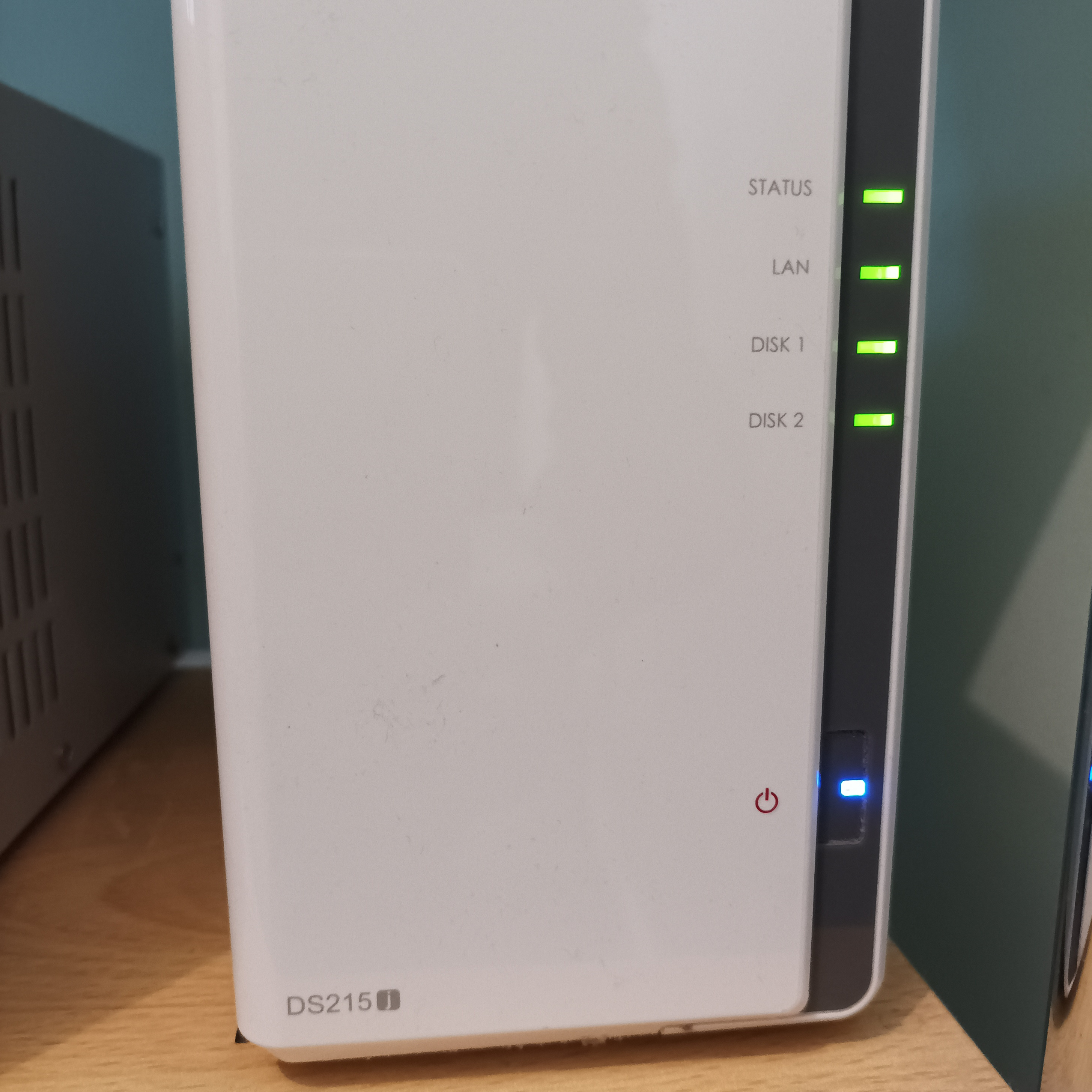
The Synology 2-bay NAS units contain a battery that retains settings and keeps the real time clock going, much in the same way as a PC. If the battery fails, the unit may not start at scheduled times or may exhibit other odd behaviour. The battery is replaceable. In this unit the battery failed after about 8-9 years.
The Synology software does not obviously provide any indication that the battery has failed. If your unit is many years old and the clock functions are not working, it may be an indication that the battery is the problem.
Note. This unit (a DS215j) contains a 3V lithium CR2032, which is the conventional kind of coin cell often found in a PC. Other very similar models contain a smaller CR1220 which may fail sooner. There seem to be multiple motherboard designs and it is not obvious in advance which battery is required. If you don't want to open the unit twice, you may be best to purchase both.
Before attempting to fix your Synology unit, you might first just want to make a copy of any vital documents onto another device. Just in case! You might also want to buy a can of compressed air to clean out all the dust bunnies at the same time to avoid opening the unit up again.
Remove the two screws from the rear of the case (top and bottom):
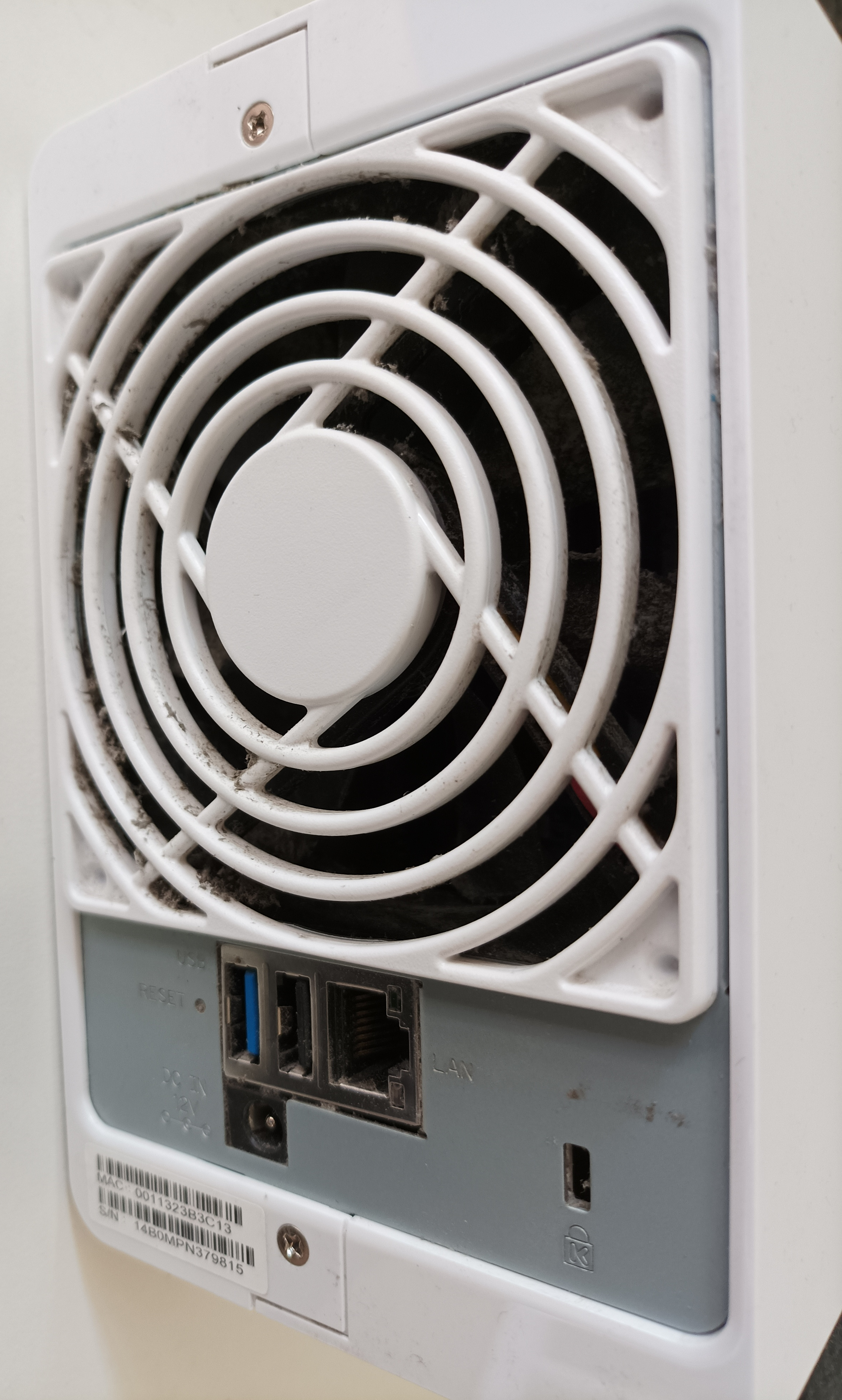
Slide the left hand portion of the case forwards and it will then lift off.

Now remove the four internal screws holding the right side of the case on as shown below.
Important: The right side of the plastic case is attached to the metal drive chassis with a cable. Don't just yank it away as you may snap the cable.
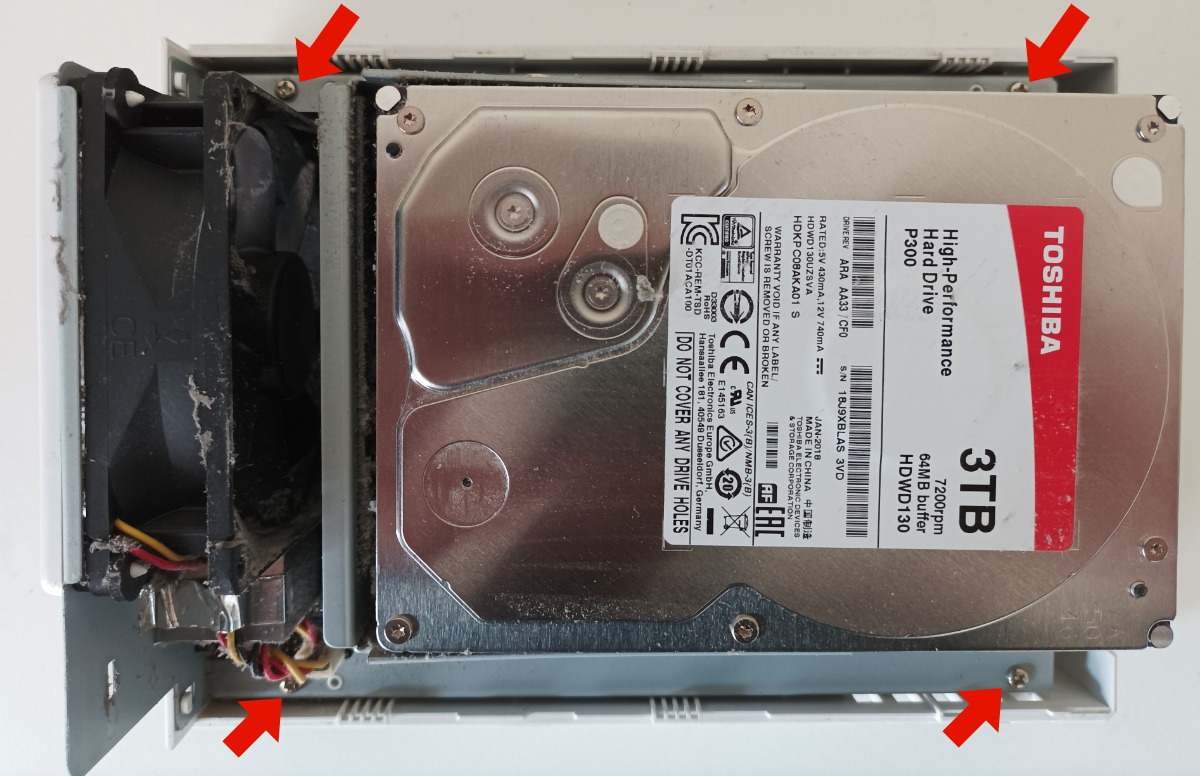
Gently lift the drive chassis away from the right side of the plastic case, being very careful about the cable it is attached by. Fold the chassis and the right side of plastic case away from each other.
The Synology motherboard is attached to the rear of the drive chassis. The battery carrier is in the top left corner.
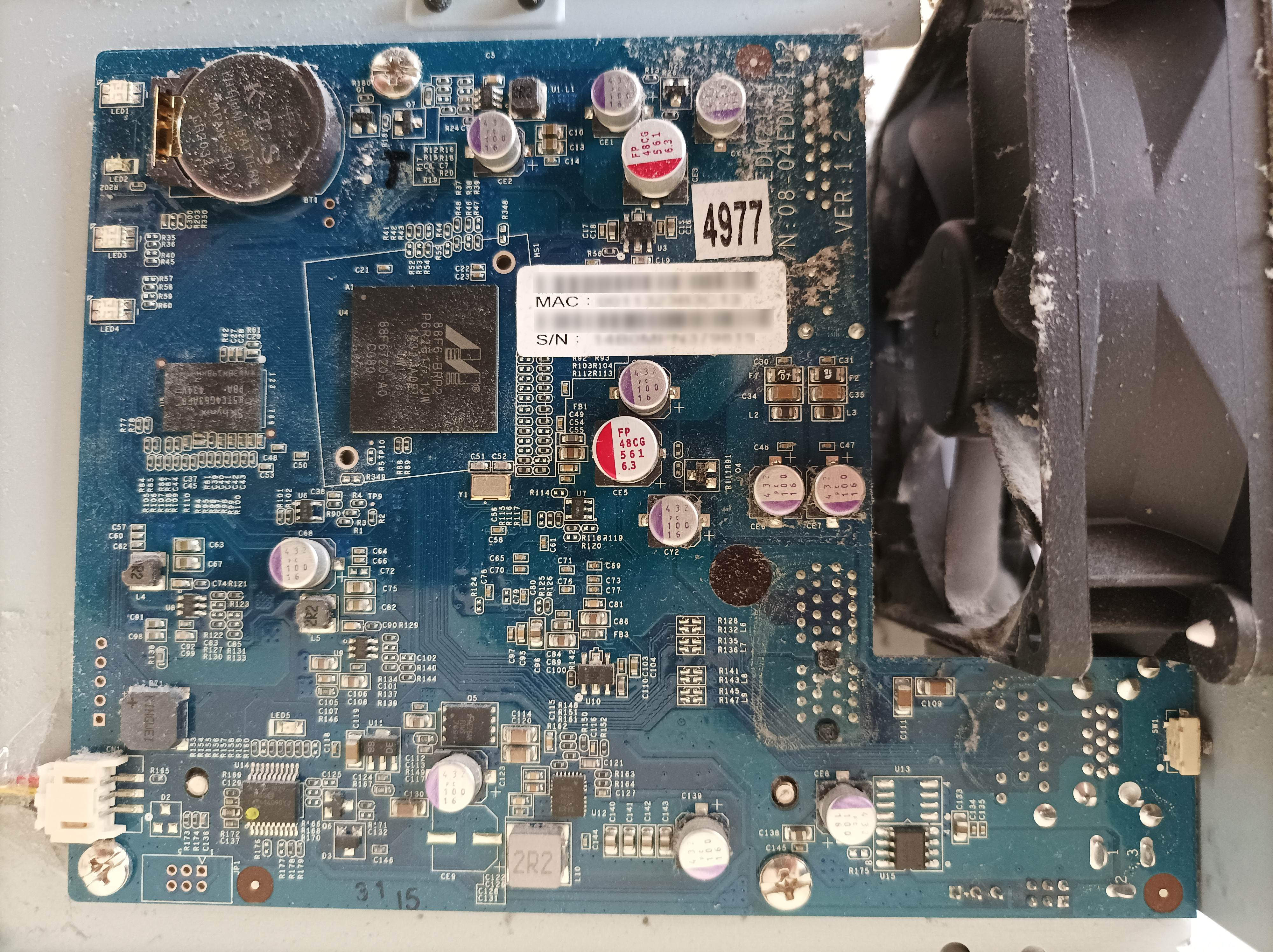
Change the battery and reassemble the unit.