

How Do TOTP One-Time Password 2FA Codes Work?
This blog came about when I was looking into how to backup software generated TOTP OTP codes such that they could be stored and accessed on a device other than a mobile phone. The simplest answer to backing up the codes seems to be to just remember to save a copy of the TOTP QR code when originally presented e.g. by taking a screenshot. Everything required to re-generate the TOTP password generator is in the QR Code.
TOTP codes (Time-Based One-Time Passwords) are a password of usually 6 decimal digits that changes every few seconds. They are commonly used as part of Two-Factor Authentication (2FA) processes. The user typically first enters a regular password (the first factor - something you know) and then uses a device (the second factor - something you have) to generate a TOTP password which they must then additionally enter. The two-factor approach means that if someone steals the password, they then hopefully do not also have the TOTP generation device and so the password alone is useless. If conversely, they steal the TOTP device, then the thief hopefully does not also have the conventional password. An implication of this is that if you are backing up the TOTP generator, you should not keep the backup in the same place as the standard password, as that defeats the two factors.
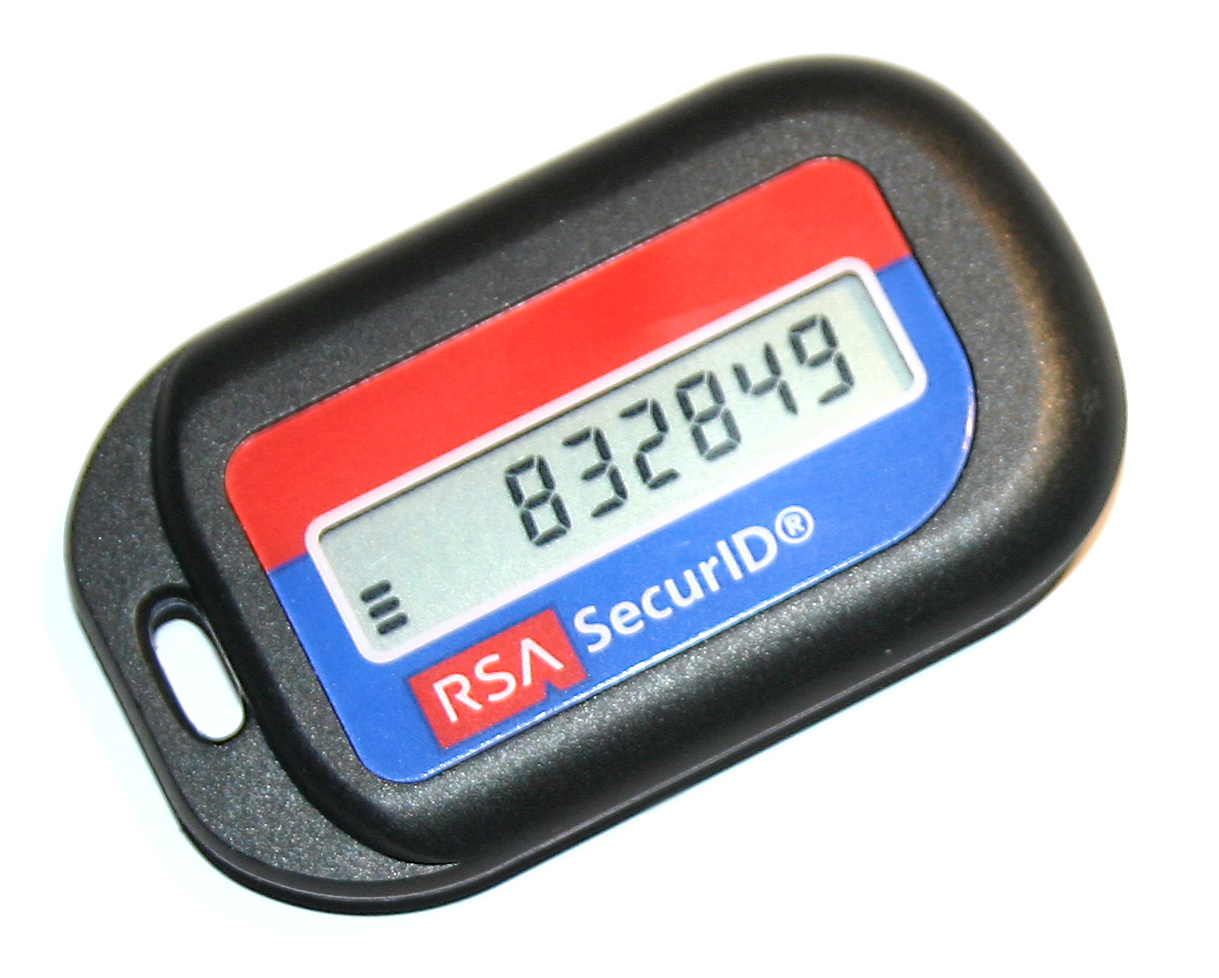
Sometimes a TOTP is provided by a specialist hardware device that is given to the user and is pre-configured by the issuing authority. These cannot be backed up by the user. However, increasingly the TOTP codes are being generated using a mobile phone app. TOTPs are conventionally set-up on a phone using a QR code that the user scans with a special authentication app, of which there are several. Examples include Microsoft Authenticator and FreeOTP. There are also examples for desktop platforms such as Authenticator for Linux, available from FlatHub, that can read the QR codes and a mobile phone is not required. When the QR code is scanned, the app then continuously generates the TOTP passwords.

The QR Code contains a string of the style of a URL like this:
otpauth://totp/LeonCode:MyLogin?secret=ABCDEFGHIJKLMNOP&issuer=leoncode.co.uk
For user convenience, the string provides the details of the website and login name that the TOTP code is associated with, but these are not relevant to the generation of the password. These details are just used to auto-complete form fields in the authenticator app. The only part of the string that is relevant to the password generation is the "secret" which is "ABCDEFGHIJKLMNOP" in this specific example. The secret is usually a random number (which this one obviously isn't).
To generate the TOTP password:
- The secret is combined with the current clock time. The secret and the current time could be e.g. simply concatenated together, although this is not necessarily the most secure method and something more complicated may be done in practice.
- A hash code is generated from the combined secret/time string
- A number of digits (often 6 digits) are then arbitrarily selected from the hashcode and that becomes the current TOTP password (or pass code).
If clock time in seconds were used, then the password would change every single second, not allowing sufficient time for the user to enter it. For this reason the clock time is divided down, a common choice is a division into 30 second blocks. The divisor is called the 'step'. This means the user gets 30 seconds to enter the TOTP password. Sometimes the website being authenticated against will also allow an additional grace period such that the previous password (the one calculated from the preceding 30 second block) is also accepted as well as the current one. This solves the problem of the user entering the password at the exact moment it changes to the next one.
Any hashcode could be used although currently SHA-1 is a common choice. The HMAC variation is employed, which also includes the property of defining the exact method by which the secret key is combined with the time in secure way.
Hence to compute a valid TOTP code, in addition to the secret, the hashcode, step and number of digits must also be known. Inconveniently, this information is not often present in the QR code and must simply be known. Many authenticator apps come with a list of common websites and the choices made by those sites although a 6 digit code constructed from SHA-1 with a 30 second step is a common (but not universal) default.
There is a great deal of nuance in the exact technicalities of the construction of TOTP codes such as how the secret is presented, how it combined with the time and how the resulting digits are selected from the hash. The method most commonly used by websites is rigorously defined in RFC 6238 which is an extension of RFC 4226. The latter describes HOTP which is a variation where instead of the current time causing the password to change, the passwords are changed according to a shared sequence number. A website does not, however, have to use this method of TOTP generation, although many do.
Here's a complete example of an RFC 6238 TOTP generator in Python which makes the common assumptions of an HMAC SHA-1 hash, a 30 second step and a 6 digit decimal code:
import base64
import hmac
import hashlib
import struct
import time

def generate_totp(secret_b32, digits=6, step=30):
    # Decode Base32 secret
    key = base64.b32decode(secret_b32.upper() + "=" * ((8 - len(secret_b32)) % 8))

    # 30‑second time counter
    counter = int(time.time() // step)

    # 8‑byte big‑endian counter
    msg = struct.pack(">Q", counter)

    # HMAC‑SHA1
    h = hmac.new(key, msg, hashlib.sha1).digest()

    # Dynamic truncation
    offset = h[-1] & 0x0F
    part = h[offset:offset + 4]
    code_int = struct.unpack(">I", part)[0] & 0x7FFFFFFF

    # Generate 6‑digit decimal code
    return f"{code_int % 1_000_000:06d}"

SECRET = "ABCDEFGHIJKLMNOP"
print(generate_totp(SECRET))
Image Credits: RSA OTP Device, by Mateusz Adamowski, Creative Commons Attribution-Share Alike 1.0 Generic